
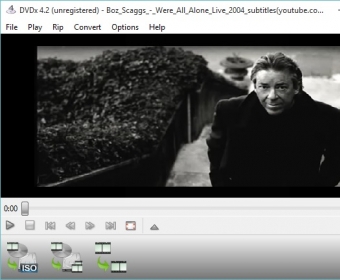
DVDx can help you extract video from DVD discs. The program supports various types of sources, including DVD and Blu-ray discs, DVD folders and image files (ISO). Likewise, it can open video files in multiple formats. Its interface seems quite simple; yet, in my opinion, it should be redesigned to make it respond better to the intended workflow.
Most of the features of this tool are accessed through menu commands. Its wide array of supported formats and media make it ideal for transcoding. Luckily, the program supports exporting to most popular formats. Additionally, it is allowed to configure the output to meet specific demands. For this purpose, there are some presets you can use, as well as the possibility to create new ones. Unfortunately, the built-in presets are not as self-explicable as those available from other similar programs, so it seems logical that inexperienced users may find some difficulty to decide which one to use.
All in all, DVDx works just as expected: it can convert video accurately and efficiently. It is evident that there is a lot more to do in terms of making the program friendlier to the users. This product’s standard version is available for free but there is also an Ultra version, which has similar transcoding features but allows ripping encrypted discs as well.

 dbForge SQL Tools 6.6
 dbForge Studio for SQL Server 6.6
 dbForge SQL Complete 6.1
 dbForge Source Control for SQL Server 2.7
 dbForge Compare Bundle for SQL Server 6.6
 dbForge Documenter for SQL Server 1.8
 dbForge Data Generator for SQL Server 4.6
 dbForge Index Manager for SQL Server 1.1
 dbForge Data Pump for SQL Server 1.9





Comments